Zoom Phone vs Zoom Contact Center Reporting: What’s the Difference?
As organizations standardize on Zoom Phone and expand into Zoom Contact Center, reporting expectations often collide. Both platforms generate call data and support dashboards, but they serve fundamentally different operational objectives.
Summary of Differences
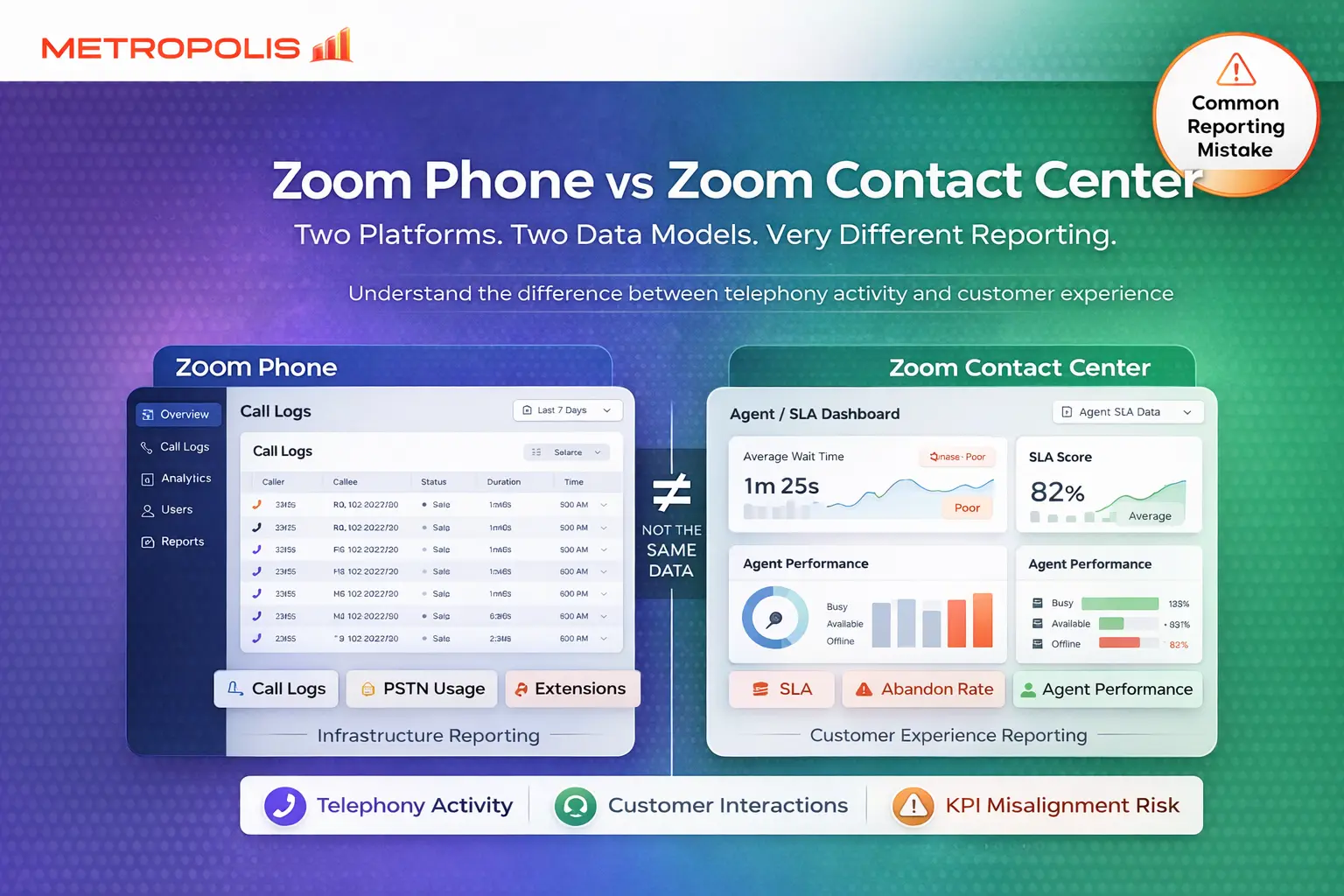
Zoom Phone reporting is infrastructure-focused, providing visibility into telephony activity and PSTN usage. In contrast, Zoom Contact Center reporting is performance-focused, measuring customer interaction metrics like SLA targets, occupancy, and abandonment rates. While they share terminology, their data models (CDR vs. Interaction-centric) are not interchangeable.
1The Core Reporting Model Difference
Zoom Phone Reporting is centered on Telephony Activity and Infrastructure Visibility. It focuses on Call Detail Records (CDR), extension-level activity, and device registration. It answers operational questions like: Who called whom? How long did the session last? Which gateway was used? This is essential for telecom operations and accounting.
Zoom Contact Center Reporting is centered on Customer Interaction Performance. It prioritizes queue performance, agent states, and service levels. It answers performance-driven questions: How fast was the answer? What is our abandonment rate? Are we meeting SLA targets? This is the foundation of customer experience (CX) performance reporting.
2Data Structure: CDR vs. Interaction-Based
Even though both platforms generate “call records,” their underlying data models differ significantly.
Call Detail Records (CDR) - Zoom Phone
Transactional records representing a single completed telephony session. Typical fields include Call ID, timestamps, direction (inbound/outbound/internal), and SIP response codes.
Interaction-Based Model - Zoom Contact Center
Reports are interaction-centric, where one "interaction" may span IVR traversal, queue wait times, multiple transfers, and escalations. Key entities include Interaction IDs, Agent IDs, wrap-up codes, and After-Call Work (ACW) duration.
3KPI Comparison Matrix
| Reporting Area | Zoom Phone | Zoom Contact Center |
|---|---|---|
| Call Volume | ✔ Yes | ✔ Yes |
| Extension Activity | ✔ Yes | ❌ No |
| PSTN Usage / Billing | ✔ Yes | ❌ No |
| SLA Compliance | ❌ No | ✔ Yes |
| Abandon Rate | Limited | ✔ Yes |
| Agent Occupancy | ❌ No | ✔ Yes |
| ACW Time | ❌ No | ✔ Yes |
| Customer Journey | ❌ No | ✔ Yes |
4Real-World Scenario Comparisons
If a CFO requests monthly call volume by department, you should utilize Zoom Phone reporting for site-level aggregation and DID mapping. Conversely, if an Operations Director wants to evaluate SLA compliance, you must use Zoom Contact Center reporting to track queue answer time distributions and agent state adherence.
Note: Compliance teams needing recording audits should note that recordings are stored and reported separately depending on which platform captured the audio.
5Architectural Considerations
Organizations often mistakenly assume one reporting system covers both platforms. If you operate back-office staff on Zoom Phone and support teams on Zoom Contact Center, you have two data sources, two schemas, and two export mechanisms. To unify these, engineers typically export data from both, normalize it into a central data warehouse, and map user IDs across systems. Failure to plan for this leads to duplicate dashboards and executive confusion.
6Licensing & Permission Differences
Access governance is platform-specific. Zoom Phone reporting depends on admin roles and site scope. Zoom Contact Center reporting is governed by contact center-specific roles and queue access scopes. Engineering teams should design this governance intentionally, especially in multi-site enterprises.
7Data Retention Considerations
Retention policies can differ based on account-level settings. If your compliance model depends on multi-year retention, you must validate export capabilities for both platforms early. Third-party archival integrations are often necessary for long-term storage across the Zoom ecosystem.
8Where Organizations Get It Wrong
Common mistakes include treating Zoom Phone call queues like contact center queues. Another frequent error is assuming Contact Center reports provide PSTN utilization or full extension-level insights—they do not. Each tool is specialized for its own domain.
Treating Phone Queues like CC Queues: Phone queues lack the granularity for SLA tracking or occupancy modeling.
Data Assumptions: Assuming Contact Center reports provide PSTN utilization or full extension-level insights—they do not.
9How to Decide Which Model You Need
Ask your stakeholders: Are we measuring infrastructure or performance? Are we managing internal communication or customer service? If the focus is on customer experience, use Zoom Contact Center reporting. If the focus is telephony operations visibility, use Zoom Phone reporting.
And if the answer is both, you'll want to consider a 3rd party Zoom Analytics tool.
10Strategic Reporting Design Recommendation
For enterprises running both platforms, Metropolis recommends defining separate KPI frameworks while creating a unified executive summary dashboard. Normalize your user identity mapping and align retention policies across both systems. Avoid blending KPIs in a way that distorts performance interpretation.
Two Platforms, Two Questions. Know Which One You're Answering
Zoom Phone reporting answers "What happened in our phone system?" while Zoom Contact Center reporting answers "How well did we serve our customers?".